Freeform Fabrication provides technical assistance to customers through our Customer Support Help Desk. Fully trained and experienced service technicians are ready to respond quickly to your service requests.
The Customer Support Help Desk operates Monday to Friday from:
8:30 AM - 5:00 PM (excluding national holidays)
We kindly ask that you check the Frequently Asked Questions for your product then complete the fault report at the bottom of this page before contacting us.
Please be assured that we will contact you ASAP!
After filling out the fault report you may contact us on +44 1438900190
Before you contact us please check the instruction video and the most commonly asked questions and answers below:
To turn on:
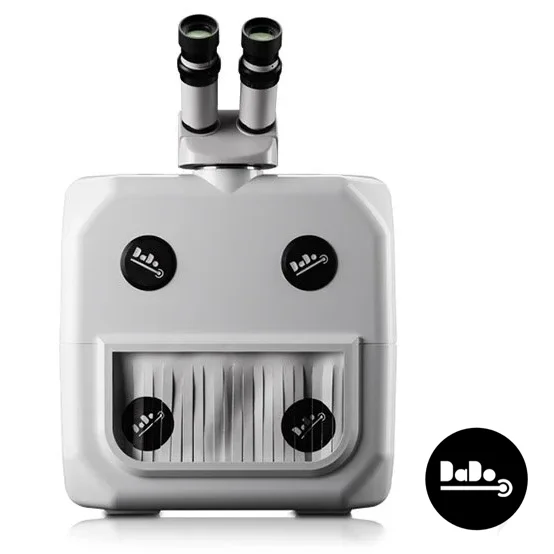
Plug the DaDo into the wall and wait for it to warm up, this will only take a few seconds. Press and briefly hold the black button inside the chamber until you hear a click. The DaDo will start and play a ringtone, once the light goes from green to white you can start use it.
To turn off:
Press and hold the black button inside the DaDo untill the light inside the chamber dims, this will put the DaDo into standby. Then turn off from the plug.
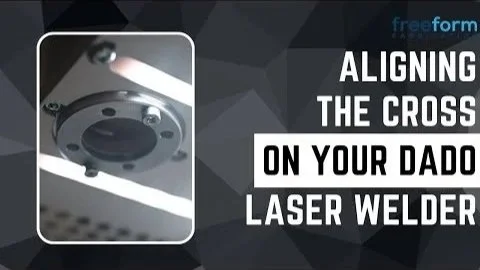
• You may need to adjust the cross where the shot fires if the DaDo Laser Welder has been in transit. • You will need the allen key that came with the DaDo.
Also watch a video guide here:
All of them! DaDo loves working with platinum and steel especially, all other precious metals come a very close second.
Yes! Simply adjust it using the sliding scale on the roof of the chamber.
Freeform has a dedicated team, with expert knowledge, ready to assist you with whatever you need.
Our machines don’t require annual servicing, such as replacing flash bulbs every year as they last up to an estimated 5 million shots. This eliminates unnecessary yearly expenses that other brands tie you into.
Argon gas can be used to provide a stronger weld, usually, you only need it if you work with titanium. You can purchase argon gas from Gwer Ltd and Hobby Weld.
The DaDo 2.0 has 50% more power and works a lot better on metals such as silver.
The spot size is also easier to adjust, meaning more control when welding. There is also the option to adjust from 1 shot per second to 4.
Here is a suggested guide for power settings to use with the DaDo Laser Welder. We always advise starting on lower power and build up until the shot is effective.
Yes, we have a trade-in program that allows you to upgrade your DaDo 1.0 to the DaDo 2.0 and more powerful laser welder, at a reduced cost. Contact us for an evaluation and trade-in details.
Yes, we provide a variety of accessories for your DaDo, including an Argon gas inlet kit, additional chamber light, cooling base and a speedwire dispenser.
Full list can be found here
You can book yourself a demo by clicking this link. If you would like for us to visit you, please call ahead and we’ll let you know our availability.
If the DaDo needs to be shipped back to us its needs to be in the original packaging, so that it is fully protected, otherwise this could get damaged in transit and void the warranty. There may be a call out charge if the packaging has been thrown away.
The chamber is 31cm wide, 15cm tall and 12cm deep.
Yes, the DaDo will work in warm conditions – but for the best results, the work environment should be 17 – 35 °C.
This videow ill help you master the microscope!
Inspect the water level every 12 to 18 months.
On the 1.0, you’ll need to remove the top left “dot” and look inside. You may need to give the machine a little wobble and shine a torch inside to see the level on the water tank.
On the DaDo 2.0 you can locate the water level inside the chamber on the right-hand side, where a slit indicates the current level.
If you receive an Error #4 message, this is generally an issue with the tank, and/or the flow of water.
This could be due to low water, a blockage or a problem with the tank.
If it’s low water, this can be checked by looking at the water level line (within the chamber), and topping up if necessary.
If it’s the tank itself - especially on older models - then we would need to either service the machine and replace the tank, or we can send you a tank to fit yourself with our guidance.
Please find attached a small video that shows how to remove the top cover and also a
that shows how to change the tank.
and also a PDF that shows how to change the tank.
This can happen after a period of overuse, when the machines overheats.
Please allow the machine to cool itself down and ensure that it is switched off at the power.
If the error persists, then please let our Support Team know. We’ll likely need to collect the machine for service and repair it.
This is indicative of the interlock and key not being inserted in their respective ports. They are likely taped to the left-side of the chamber.
Please see this video for how to insert them:
Check spot size - Simply adjust it using the sliding scale on the roof of the chamber.
Check power you are on and if its enough for the metal you are working on
Try adding black marker pen to the area.
Yes. We run regular full-day courses at our base in Stevenage, and we travel to jewellery schools and venues around the country to deliver workshops. We also offer private training with our tutor Paul Paine.
More information on our scheduled workshops and training days can be found here: Training & Workshops