
NANO Laser Marking Size Test & Scale Calibration Guide
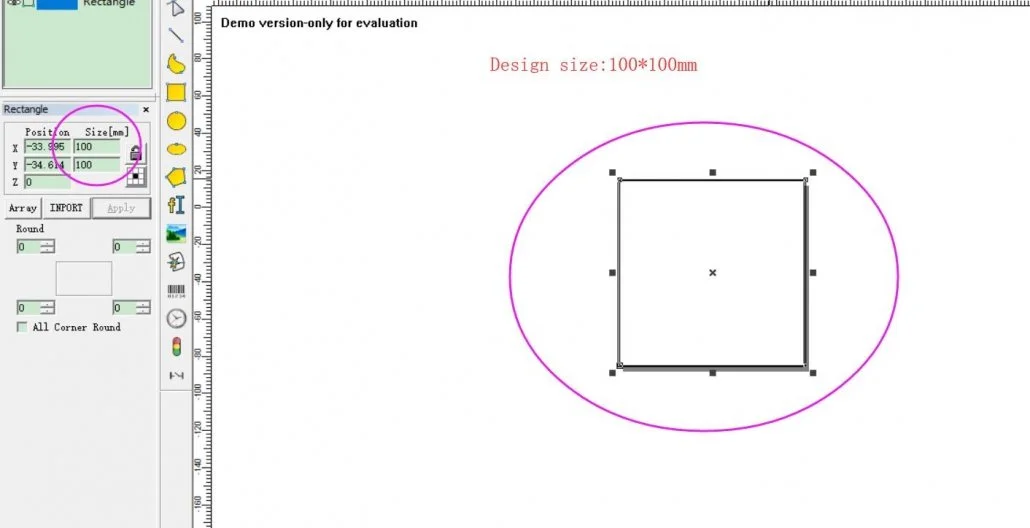
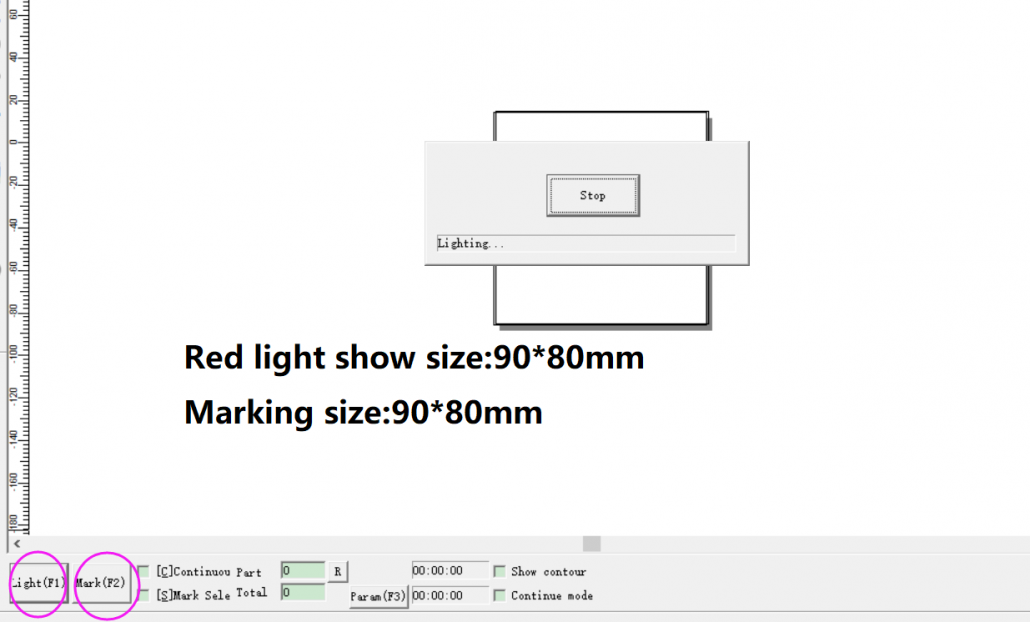
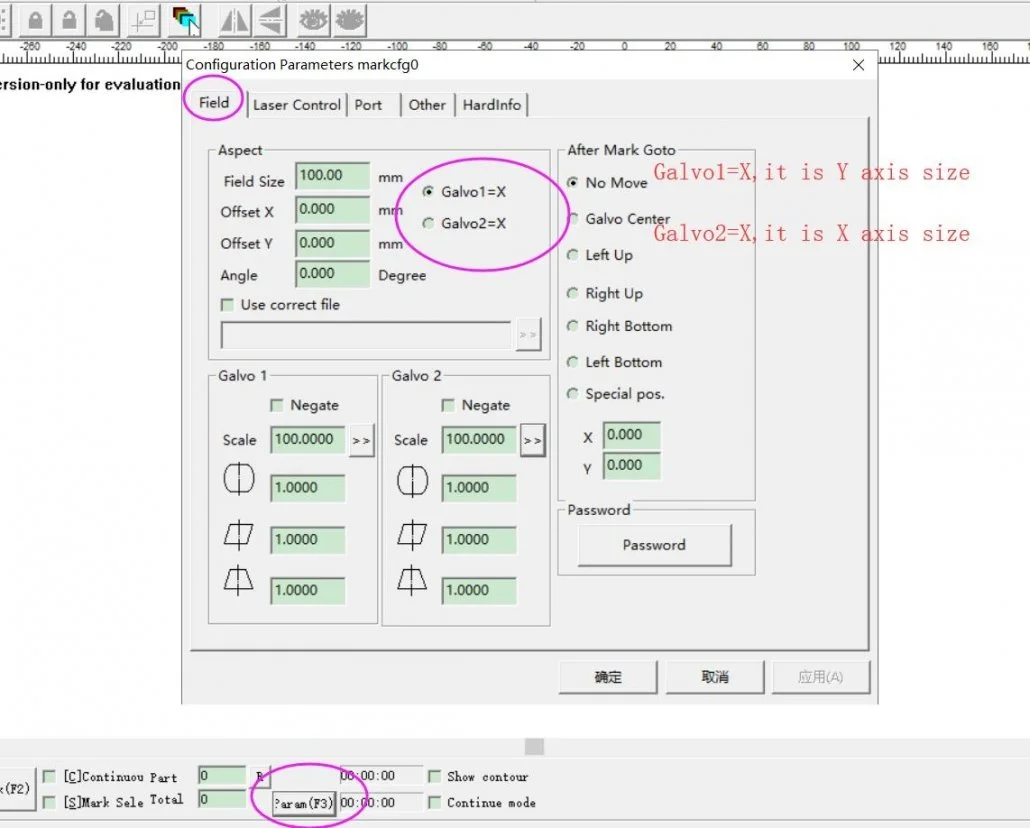
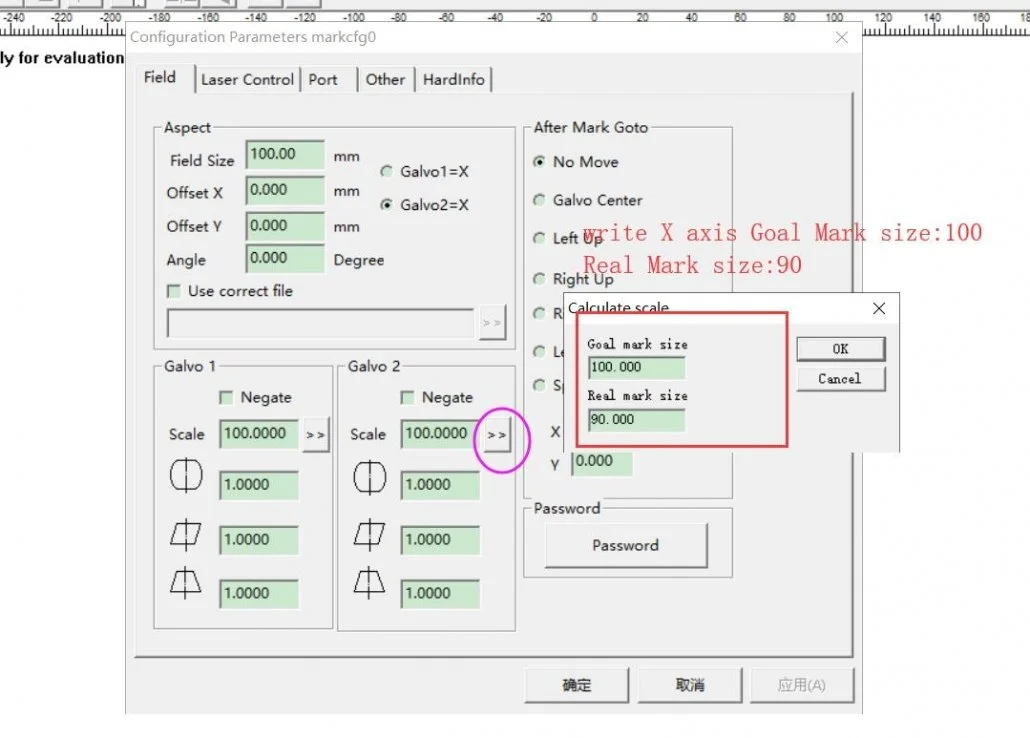
Solution of EZCAD Drawing size is not same with Red pointer size and Marking size
IMPORTANT NOTICE!
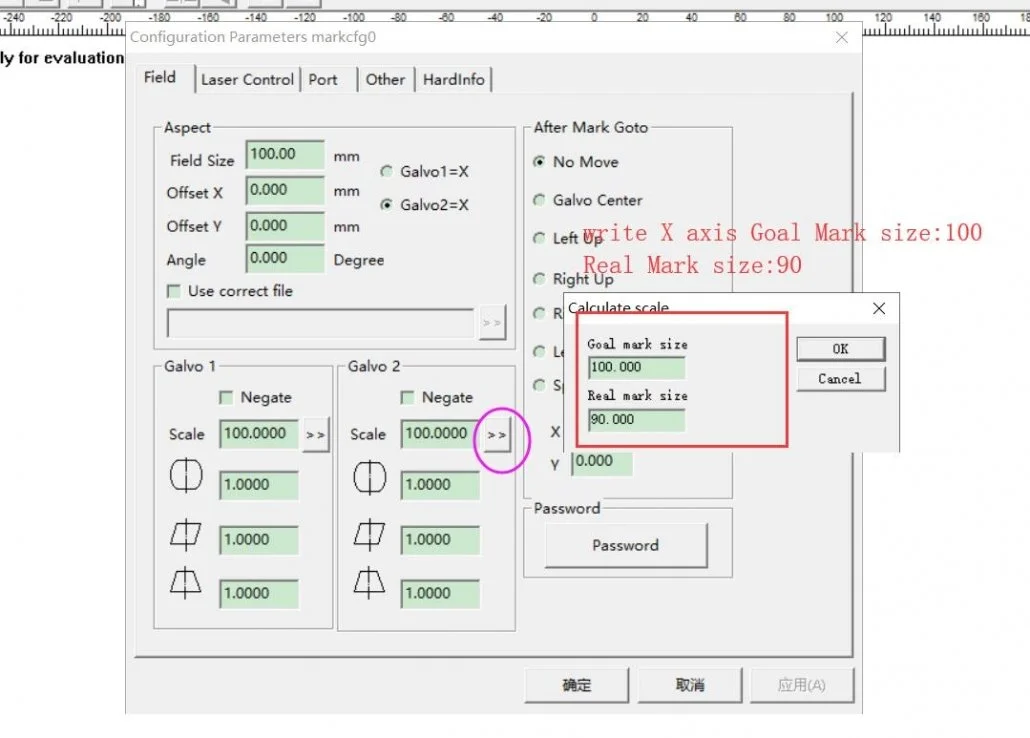
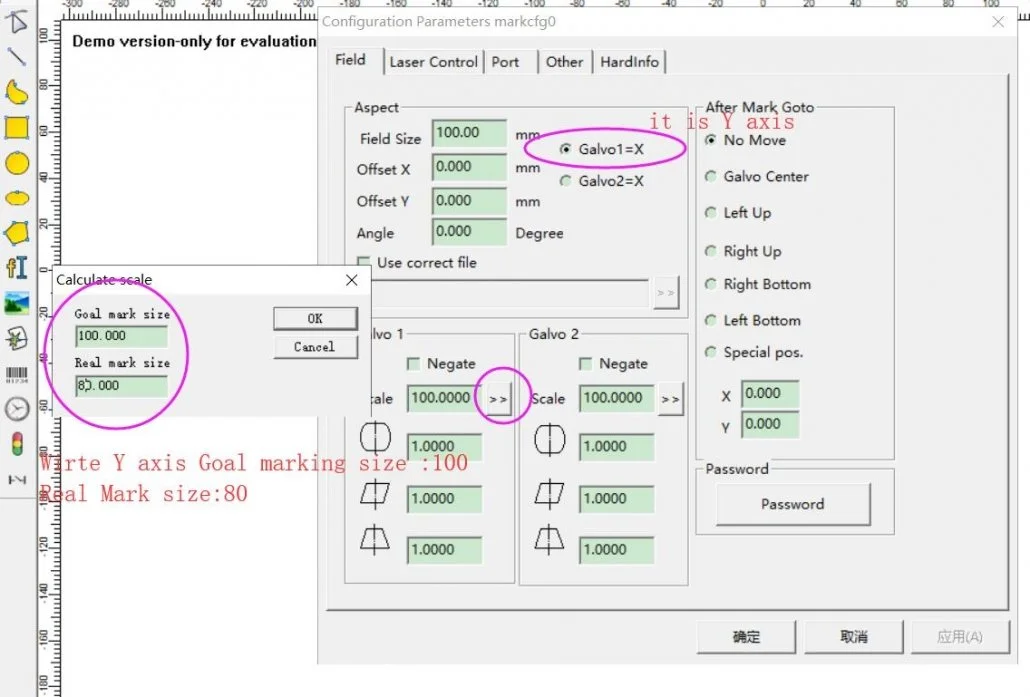
If you don’t modify the Galvo 1=X and Galvo 2=X parameter,pls don’t click Okay,just need click “Cancel”.It is important.
If you click okay,it will change the parameter auto,the red line,marking size will not correct again.
More Nano Support
Summary Block